Logo Maker Online Free - Editable Templates, Transparent PNG
Make a logo online for free: pick a template, type your brand name, change colors and fonts, download a transparent PNG. No sign-up, no watermark.

A new shop, a YouTube channel, a side project: you need a logo today, not in two weeks. Go Pixer is a free logo maker online with ready-made designs - lettermarks and monograms, modern and minimal wordmarks, symbol marks - for cafés, studios, gyms, shops, tech and more. Pick one, make it yours, download it.
How to make a logo in 3 steps
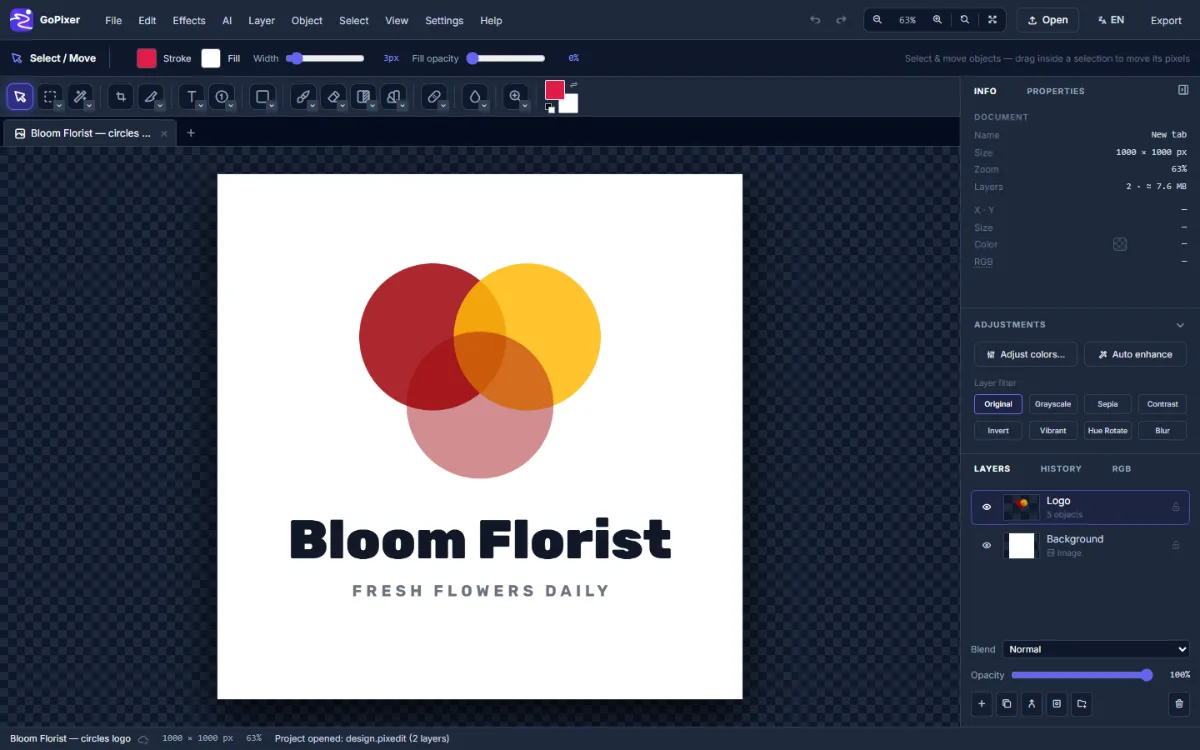
- Click Open the Logo maker in Go Pixer above. The template library opens on Logo; use the search box to find your field (coffee, fitness, real estate…) and click a design.
- Double-click the name to type your brand (and the tagline, if the design has one). Change colors and fonts in Properties; move or resize any shape.
- Click Export and save a PNG.
Logo tips
- Transparent background: the templates are 1000 × 1000 px with a Background layer. Hide it in the Layers panel (the eye icon) and export as PNG or WEBP to get a logo you can place on any color. JPG cannot keep transparency.
- Light and dark versions: many designs come in both. Keep one for light backgrounds and one for dark ones.
- Keep it simple: one or two colors and a clear font read well on a phone, a sign and a business card alike.
- Check it small: under Export › Size, try a custom size such as 200 × 200 px to see that the name still reads.
- Have a photo or a sketch of a logo on a background? Remove the background to cut it out.
Use your logo everywhere
Drop the PNG onto a business card, a YouTube thumbnail or a social post - the same template library has them all. Free templates have no crown and no watermark; templates with a gold crown are part of Pro. Everything is edited in your browser, without sign-up.
Frequently asked questions
Is the logo maker free?
Yes, free to start, with no sign-up. Free templates have no crown and no watermark; templates with a gold crown are part of Pro.
How do I get a transparent logo?
Hide the Background layer in the Layers panel, then export as PNG or WEBP. JPG always has a background.
What size is the logo?
The templates are 1000 × 1000 px. Under Export › Size you can choose a custom size for a profile picture or a favicon.
Can I export an SVG?
Export has an SVG option, but it holds the logo as a picture (pixels), not as editable vector shapes. For most uses, a PNG is the better choice.
Will my logo be unique?
Other people can start from the same template, so change the name, colors, font and shapes enough to make it your own. Before you print it, check that your brand name is not already a trademark in your field.
Try it now - free
Nothing to install, no sign-up needed. Your photos stay on your computer.
Open the Logo maker in Go PixerMore free guides

Go Pixer vs Photoshop - What a Free Browser Editor Can Do (and What It Can't)
An honest comparison: layers and PSD, Object Selection, Content-Aware Move, Highlights / Shadows / Clarity / Dehaze, lens correction, Perspective Crop, RAW files and AI in a free browser editor.

Remove Background Online Free - No Upload, No Sign-Up
Remove the background of any photo for free, right in your browser. The AI runs on your computer: your photo is never uploaded. Download a transparent PNG.
Crop Image Online - Free, Fast, Square or 16:9
Crop an image online for free: square for Instagram, 16:9 for YouTube, or any size you like. Works in your browser, your photo is never uploaded.

Resize Image Online Free - Exact Pixels, Smaller Files
Resize an image online for free: set the width or height in pixels, keep the aspect ratio, and export a smaller JPG, PNG or WEBP. No upload, no sign-up.