Business Card Maker Online Free - Print-Ready 90 × 54 mm Templates
Make a business card online for free: pick a 90 × 54 mm template, type your name and details, export a PNG or a print PDF with crop marks. No sign-up.
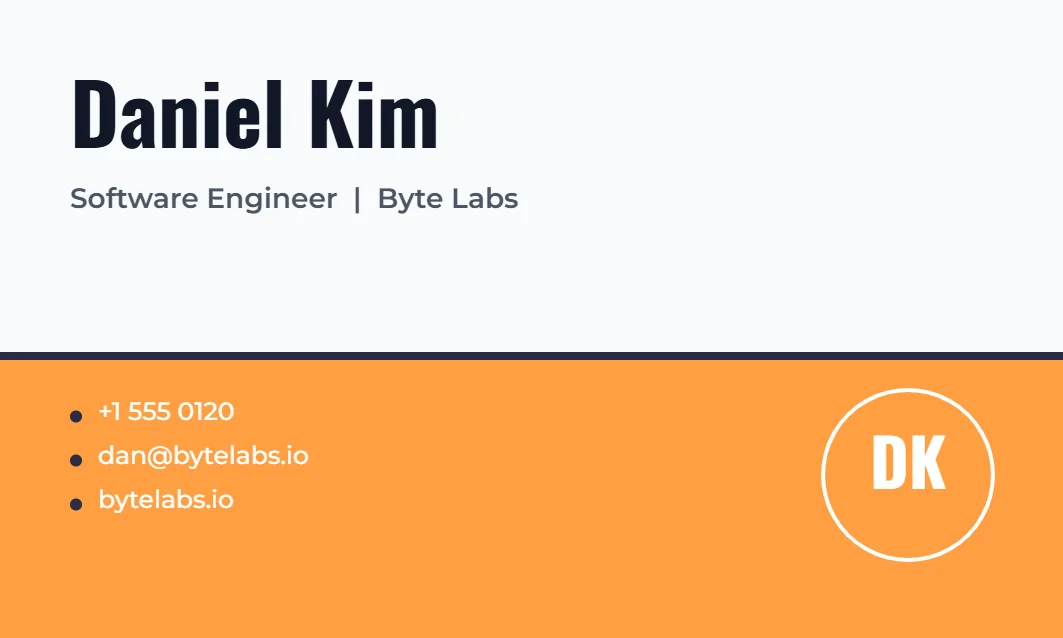
A good business card is still the quickest way to be remembered. Go Pixer is a free business card maker with ready-made designs for lawyers, cafés, photographers, salons, startups and more. Choose a template, type your details, and download a file your print shop can use - all in your browser.
How to make a business card in 3 steps
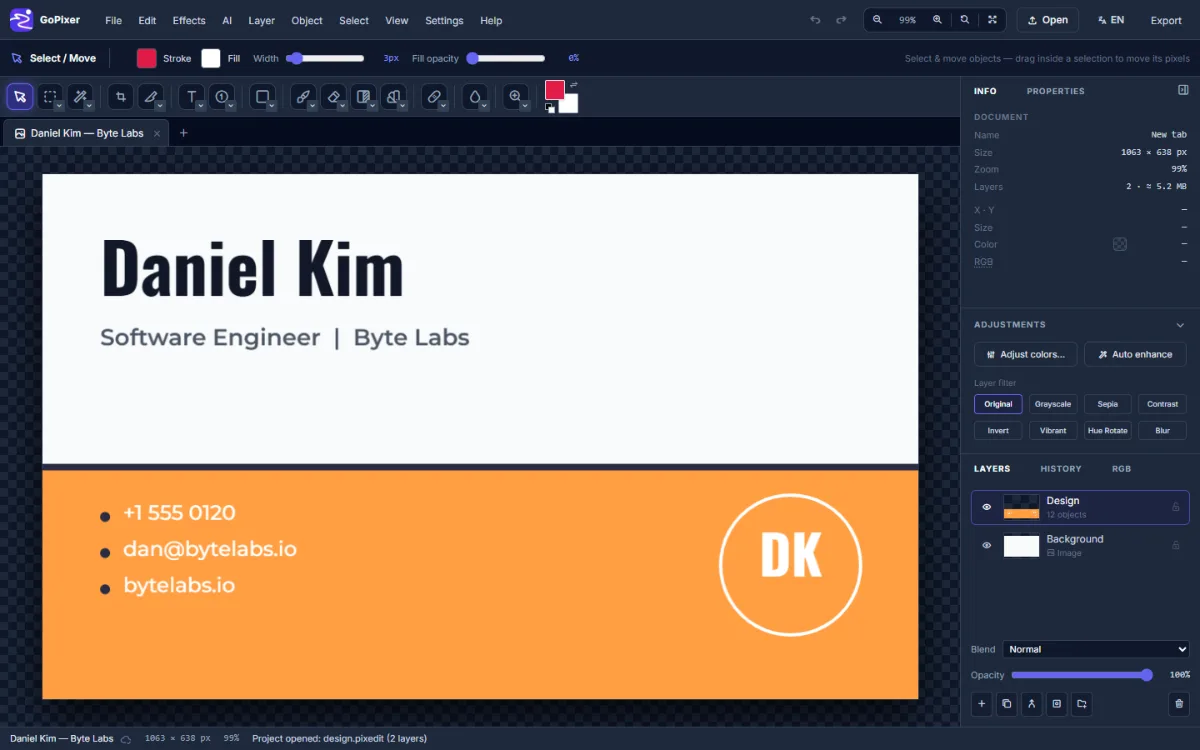
- Click Open the Business card maker in Go Pixer above. The template library opens on Business Card; click a design you like.
- Double-click a text to type your name, job title, phone, email and website. Change colors and fonts in Properties. On photo designs, drag your photo or logo onto the Drop a photo here frame.
- Click Export: choose PDF for a print PDF, or PNG for a picture.
Get it ready for print
- The right size: the templates are 90 × 54 mm at 300 DPI (1063 × 638 px), the common size in Europe and Asia.
- Keep text inside the safe area. The dashed guide shows where the cutter cannot reach; turn them on or off with Print guides in Settings (Rulers, grid & guides). They never appear in the file you export.
- Print PDF: with PDF chosen, Export shows the print options - Resolution and Crop marks. The free plan prints up to 150 DPI; Pro goes up to 1200 DPI. Texts and shapes are drawn again at the chosen resolution, so they stay sharp.
- Colors: the file is RGB; your printer converts it to CMYK, so ask for a proof if an exact color matters.
- Prefer a picture? PNG at Original size keeps all 1063 × 638 px - 300 DPI at the card's size.
Make it match your brand
Use the same colors and font as your logo - or make a logo first from a template, then drop it onto the card. Need print for a restaurant too? See the menu maker. Free templates have no crown and no watermark; templates with a gold crown are part of Pro.
Frequently asked questions
Is the business card maker free?
Yes, free to start, with no sign-up. Free templates have no crown and no watermark; templates with a gold crown are part of Pro.
What size are the business cards?
90 × 54 mm at 300 DPI (1063 × 638 px), the usual size in Europe and Asia.
Can I export a PDF for my print shop?
Yes. Choose PDF under Export to get a print PDF at the card's size, with optional crop marks. The free plan prints up to 150 DPI; Pro and Teams go up to 1200 DPI.
Can I add my logo or photo?
Yes. Drag it onto a photo frame of the template, or open it and add it as a layer, then move and resize it.
Are my details uploaded?
No. The template is downloaded to your browser and you edit it on your own device.
Try it now - free
Nothing to install, no sign-up needed. Your photos stay on your computer.
Open the Business card maker in Go PixerMore free guides

Go Pixer vs Photoshop - What a Free Browser Editor Can Do (and What It Can't)
An honest comparison: layers and PSD, Object Selection, Content-Aware Move, Highlights / Shadows / Clarity / Dehaze, lens correction, Perspective Crop, RAW files and AI in a free browser editor.

Remove Background Online Free - No Upload, No Sign-Up
Remove the background of any photo for free, right in your browser. The AI runs on your computer: your photo is never uploaded. Download a transparent PNG.
Crop Image Online - Free, Fast, Square or 16:9
Crop an image online for free: square for Instagram, 16:9 for YouTube, or any size you like. Works in your browser, your photo is never uploaded.

Resize Image Online Free - Exact Pixels, Smaller Files
Resize an image online for free: set the width or height in pixels, keep the aspect ratio, and export a smaller JPG, PNG or WEBP. No upload, no sign-up.