Colorize Black and White Photos Online - AI, No Upload
Colorize a black and white photo online with AI: old family pictures get natural colors in seconds. Adjust the strength. Runs in your browser, no upload.
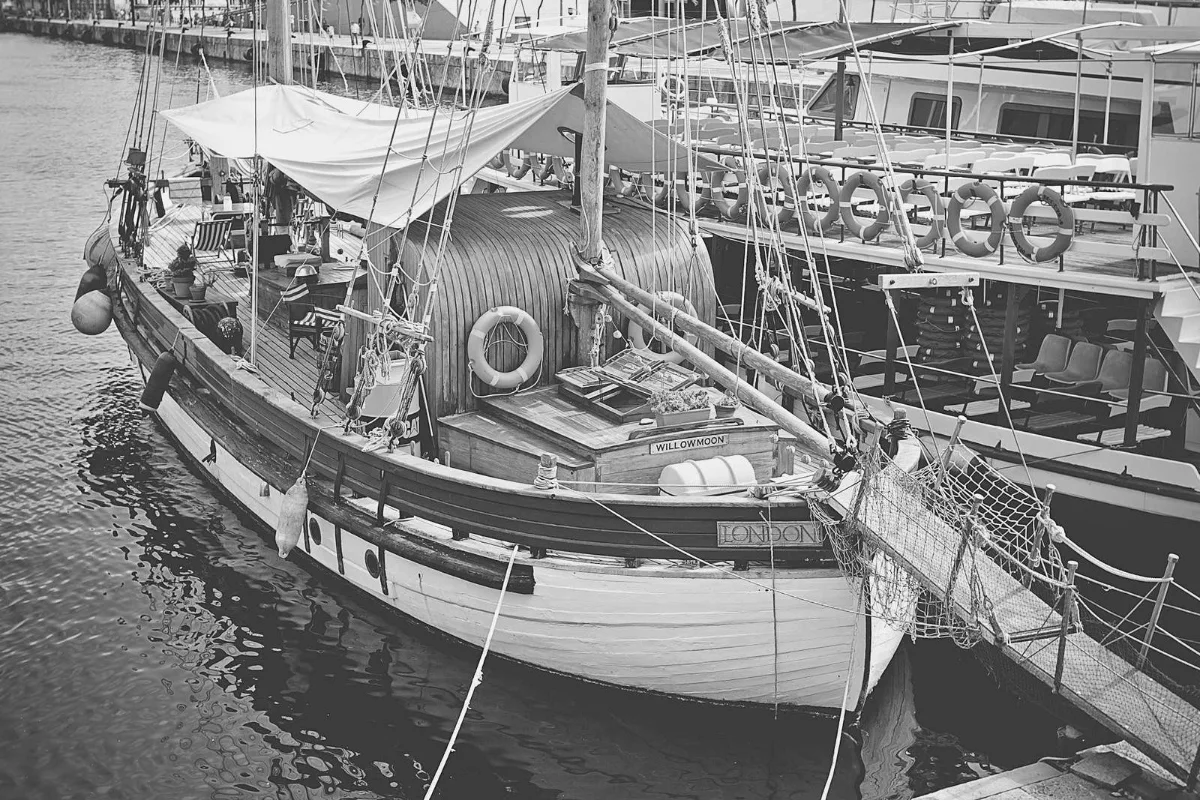
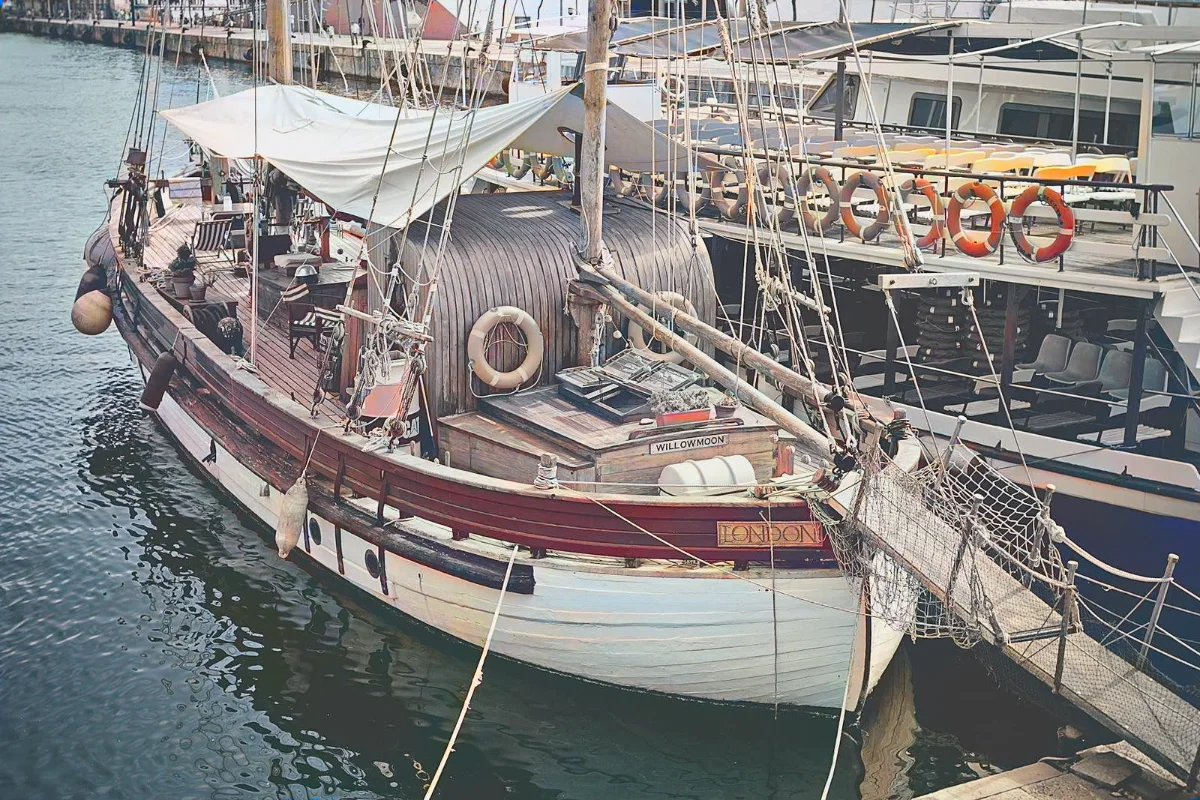
Old family pictures, a grandparent's wedding, a historic building: color makes them feel close again. Go Pixer lets you colorize black and white photos online with AI. The model guesses natural colors for skies, skin, stone and trees, while the light and every detail of your photo stay exactly as they were. It runs in your browser, so your precious photos are not uploaded.
How to colorize a photo in 3 steps
- Click Open the Photo colorizer in Go Pixer above and open your black and white (or faded) photo.
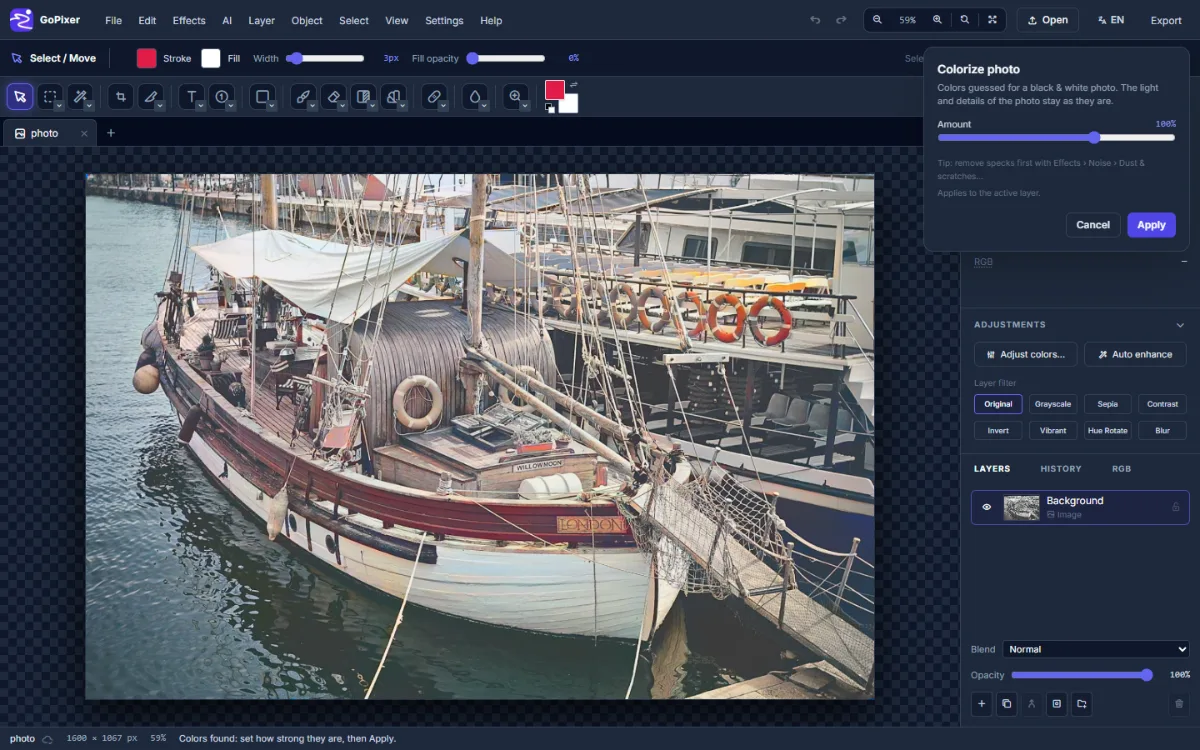
- The Colorize photo panel opens (you can also find it under AI › Colorize photo…). The first time, the AI model is downloaded - it is fairly large (about 135 MB), so give it a moment; after that it starts at once.
- Move the Amount slider to make the colors softer or stronger, watch the live preview, then click Apply and Export.
Get more natural colors
- Clean the photo first. Specks and scratches on old prints can pick up odd colors: run Effects › Noise › Dust & scratches… before colorizing.
- Amount goes from 0% to 150%. Below 100% gives a soft, vintage look; above 100% makes the colors bolder.
- Fix one area. If a coat or a car got the wrong color, select it and use Edit › Adjust colors…. With a selection, Colorize itself applies only to the selected area.
- Small or blurry scan? Upscale it with AI first, then colorize.
- Changed your mind? Ctrl+Z undoes the colors in one step.
Why colorize in your browser?
Family archives are personal. Most colorizing sites upload your photos to their servers; Go Pixer downloads the model once (your browser keeps it) and does the work on your own device.
Frequently asked questions
Is the photo colorizer free?
Go Pixer is free to start, with no sign-up. Colorize is a heavier AI tool, so depending on the plan settings it may be part of Pro; the pricing page lists what each plan has.
Are my photos uploaded?
No. The colors are guessed by an AI model running in your browser, on your own computer or phone. Only the model is downloaded, the first time.
Does colorizing lose detail?
No. Only the colors are added; the light and the details of the photo are kept at full size.
The colors are too strong or wrong. What can I do?
Lower the Amount slider before you click Apply. To fix one area afterwards, select it and use Edit › Adjust colors….
Why does the first run take long?
The colorizing model is about 135 MB and is downloaded once. Your browser keeps it, so next time it starts at once.
Try it now - free
Nothing to install, no sign-up needed. Your photos stay on your computer.
Open the Photo colorizer in Go PixerMore free guides
Go Pixer vs Photoshop - What a Free Browser Editor Can Do (and What It Can't)
An honest comparison: layers and PSD, Object Selection, Content-Aware Move, Highlights / Shadows / Clarity / Dehaze, lens correction, Perspective Crop, RAW files and AI in a free browser editor.
Remove Background Online Free - No Upload, No Sign-Up
Remove the background of any photo for free, right in your browser. The AI runs on your computer: your photo is never uploaded. Download a transparent PNG.
Crop Image Online - Free, Fast, Square or 16:9
Crop an image online for free: square for Instagram, 16:9 for YouTube, or any size you like. Works in your browser, your photo is never uploaded.
Resize Image Online Free - Exact Pixels, Smaller Files
Resize an image online for free: set the width or height in pixels, keep the aspect ratio, and export a smaller JPG, PNG or WEBP. No upload, no sign-up.